
No new notifications
You are caught up on course updates and Q&A replies.

You are caught up on course updates and Q&A replies.
Cloning PeachOS and preparing our project is queued after this video.
This course is the continuation of Part 1, where we built PeachOS, a fully functioning 32-bit multitasking operating system. In Part 2, we take the project to t...
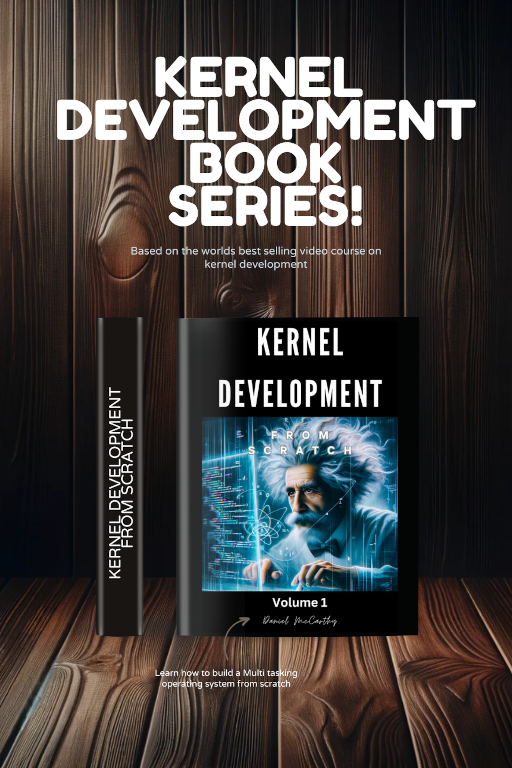
This course is the continuation of Part 1, where we built PeachOS, a fully functioning 32-bit multitasking operating system. In Part 2, we take the project to the next level: building a 64-bit multi-threaded kernel that runs in long mode with a graphical user interface (GUI) capable of rendering interactive, clickable, and draggable windows. Need the part one course click here This isn’t just theory—you’ll be building a complete, modern OS step by step, starting from the bootloader all the way up to a graphical desktop environment. Part 2 - Module 1 Overview In the first module of Part 2, we focus on the foundations of a modern 64-bit kernel. We migrate from 32-bit protected mode into 64-bit long mode, create a UEFI bootloader, and lay down the critical systems that will later allow us to support GUIs, multitasking, and advanced storage. Here’s what we cover in detail: 🔹 Graphics & Display — Capture and take control of the UEFI framebuffer, giving us the ability to write pixels directly to the screen. — Implement full support for loading images and fonts. — Build a terminal system that uses pixel-based fonts to render text directly onto the display. — Design a graphical subsystem on which the terminal itself is built. This includes:   — Relative drawing anywhere on the screen.   — Hierarchical graphics (parents and children, with relative offsets).   — A system that allows complex UI elements to be composed cleanly and drawn efficiently. 🔹 Memory Management — Rebuild the heap allocator so that it dynamically uses the E820 memory map provided by UEFI/BIOS, instead of relying on a fixed memory region. — Develop a multi-heap system, capable of merging multiple heaps into a unified allocator that intelligently chooses blocks for allocation. — Implement a paging-based memory defragmenter that can remap scattered free regions into a single continuous block of memory—solving fragmentation issues and maximizing usable RAM. 🔹 Disk & Partitions — Extend our FAT16 filesystem to support multiple GPT partitions. — Mount each partition as a virtual drive, allowing the OS to work with multiple logical disks simultaneously. — Redesign and abstract the disk system to support this multi-partition model, preparing the kernel for future support of modern storage hardware like SSDs. ✅ By the end of Module 1, you’ll have: — A 64-bit kernel bootable on modern UEFI systems. — A fully functional terminal with a graphical foundation underneath. — An advanced heap allocator with defragmentation support. — A multi-partition disk subsystem capable of treating different GPT partitions as separate drives. — The core building blocks required for a GUI-based operating system. Module 2 Module 2 builds directly on this foundation and focuses on turning the kernel into a full graphical operating system with multitasking, drivers, and a rich user experience. You will: — Expose standard C library functions (fopen, fread, etc.) to userspace through isr80h. — Build the complete windowing system, with support for fully interactive GUI elements. — Implement an NVMe SSD driver, enabling high-speed reads from modern solid-state storage. — Add full PCI/PCIe support, including bridges, making the kernel capable of scanning and interacting with a wide variety of devices. — Access a GitHub repository of user programs that you can run directly on your OS. You’ll even be able to submit pull requests to share your own user-space programs with other students in the course. By the end of Part 2, you’ll have created a multi-threaded, 64-bit, GUI operating system from scratch—bootable on modern hardware and extensible enough to run real user applications.
Ask the instructor when you hit a blocker in this lesson.
This course is the continuation of Part 1, where we built PeachOS, a fully functioning 32-bit multitasking operating system. In Part 2, we take the project to the next level: building a 64-bit multi-threaded kernel that runs in long mode with a graphical user...

DragonZap instructor focused on practical programming, course support, and student progress.
View Teacher ProfileUse the DragonZap desktop app to download courses for offline access where available.
Open Desktop App
Take a quick look before continuing to Cloning PeachOS and preparing our project.