

Windows and Debian builds
Install the app on your primary learning machine and access your DragonZap account from a native desktop environment.

Download your purchased courses, keep your library available offline, and keep learning when your internet connection is not reliable.
The desktop app gives students a focused way to prepare course material before travel, unstable connections, or locked-down work environments.
Install the app on your primary learning machine and access your DragonZap account from a native desktop environment.
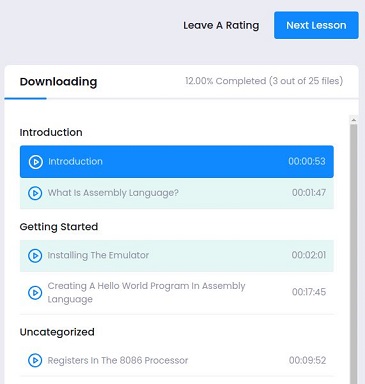
Prepare lessons ahead of time so your systems programming courses stay available when your connection drops.

Keep watching during flights, commutes, and low-connectivity sessions without switching tools mid-study.
Download the Windows setup package for DragonZap Education Desktop v4.0.1.
Start Windows downloadDownload the AMD64 Debian package for Linux systems that support .deb installation.
Start Debian downloadBy installing the desktop app you agree to the Desktop App Terms and DragonZap Terms and Conditions.